
Download Sketch to Image – AI art generator, digital art tool, sketch converter
Overview
Sketch to Image is a mobile application designed to transform hand-drawn or digital sketches into polished digital artwork using advanced artificial intelligence. The app targets artists, illustrators, and creative professionals who seek to accelerate their workflow by converting rough drafts into refined visuals with minimal effort. By bridging the gap between initial sketching and final presentation, the app helps users bring their ideas to life more efficiently.
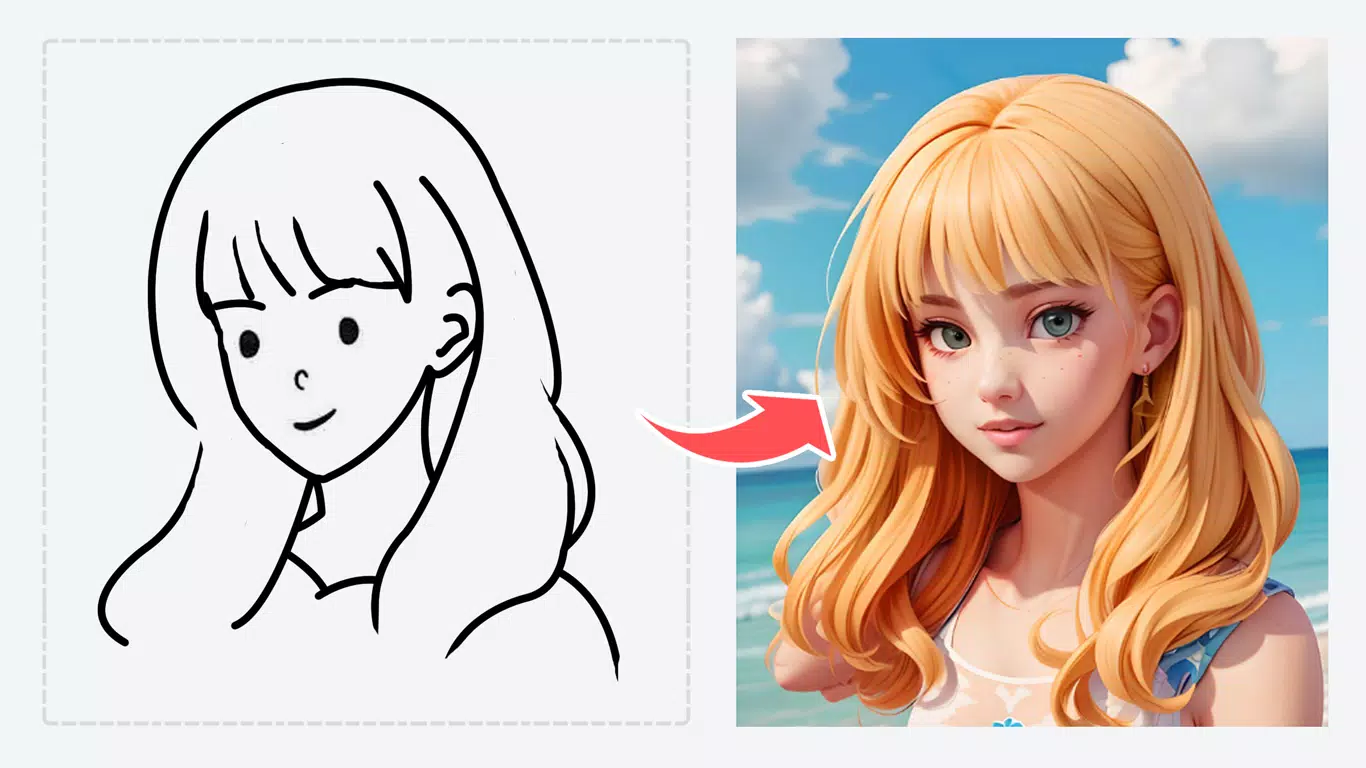
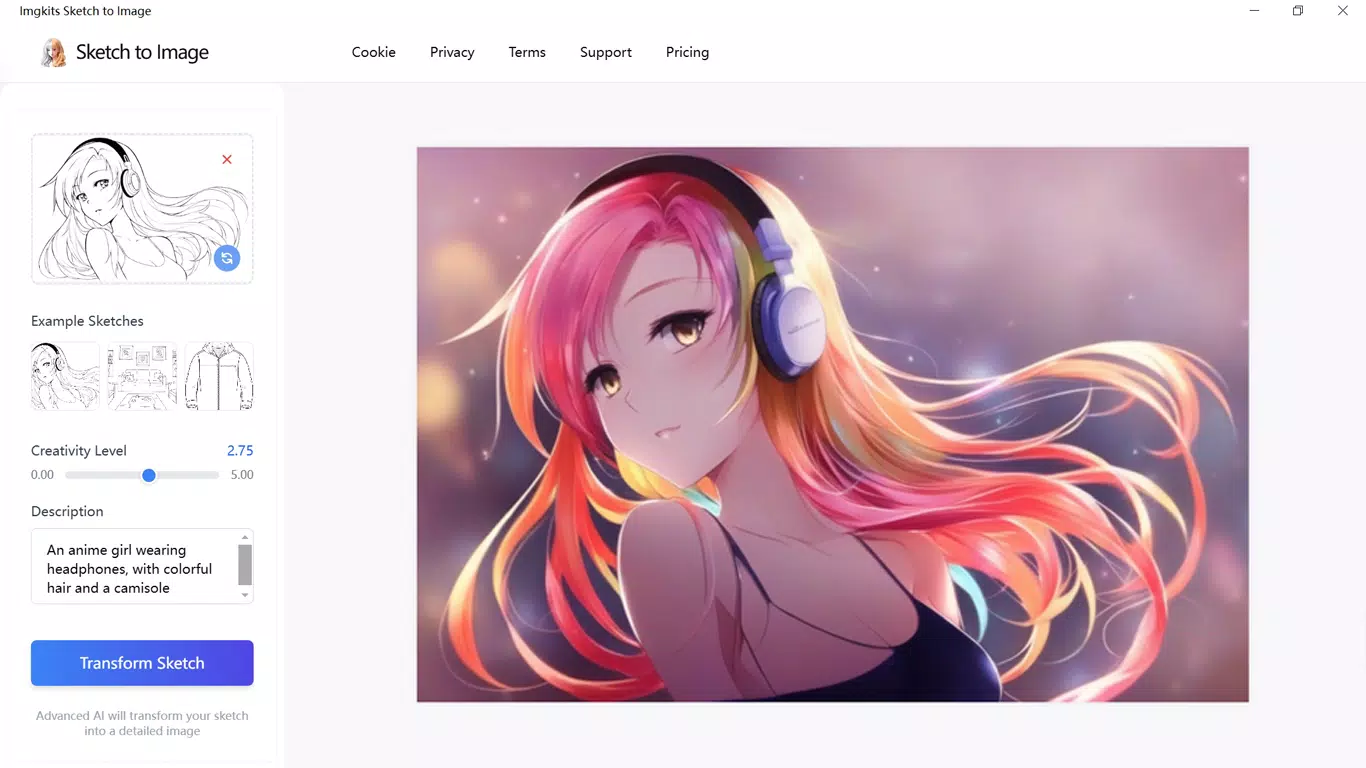
Its primary function is to analyze uploaded sketches—whether in black-and-white or color—and apply intelligent enhancements to generate high-quality, professional-looking images. This process supports concept development, design prototyping, and rapid ideation across creative fields. The app is particularly useful for those who want to maintain their original artistic vision while benefiting from AI-driven improvements in detail, line clarity, and stylistic consistency.
While the developer, Sketch to Image, has not provided further background details, the app’s focus on creative utility places it within the growing ecosystem of AI-powered productivity tools for visual creators. It serves as a valuable complement to traditional design workflows, enabling faster iteration and higher output quality. The app’s release on both Android and iOS platforms broadens its accessibility to a wide range of users across different device ecosystems.
Key Features & Functionality
- Transform Sketches Instantly: Upload hand-drawn or digital sketches in any format, and the AI processes them within seconds to produce refined digital artwork. This feature supports both color and monochrome inputs, making it suitable for diverse creative workflows.
- Preserve Artistic Vision: The AI maintains the core structure, composition, and intent of the original sketch while enhancing lines, textures, and overall visual clarity. This ensures that the final output remains true to the user’s creative direction.
- Multiple Style Options: Users can select from a range of artistic styles—such as realistic, cartoonish, painterly, or minimalist—to tailor the output to specific project needs, including concept art, branding, or personal illustrations.
- User-Friendly Interface: The app features a streamlined interface with a simple upload-and-generate process. No prior technical or artistic training is required, making it accessible to beginners and non-professionals alike.
- Consistent Quality Output: The AI delivers reliable and repeatable results across multiple sketches, ensuring uniform quality for ongoing projects or large-scale creative work.
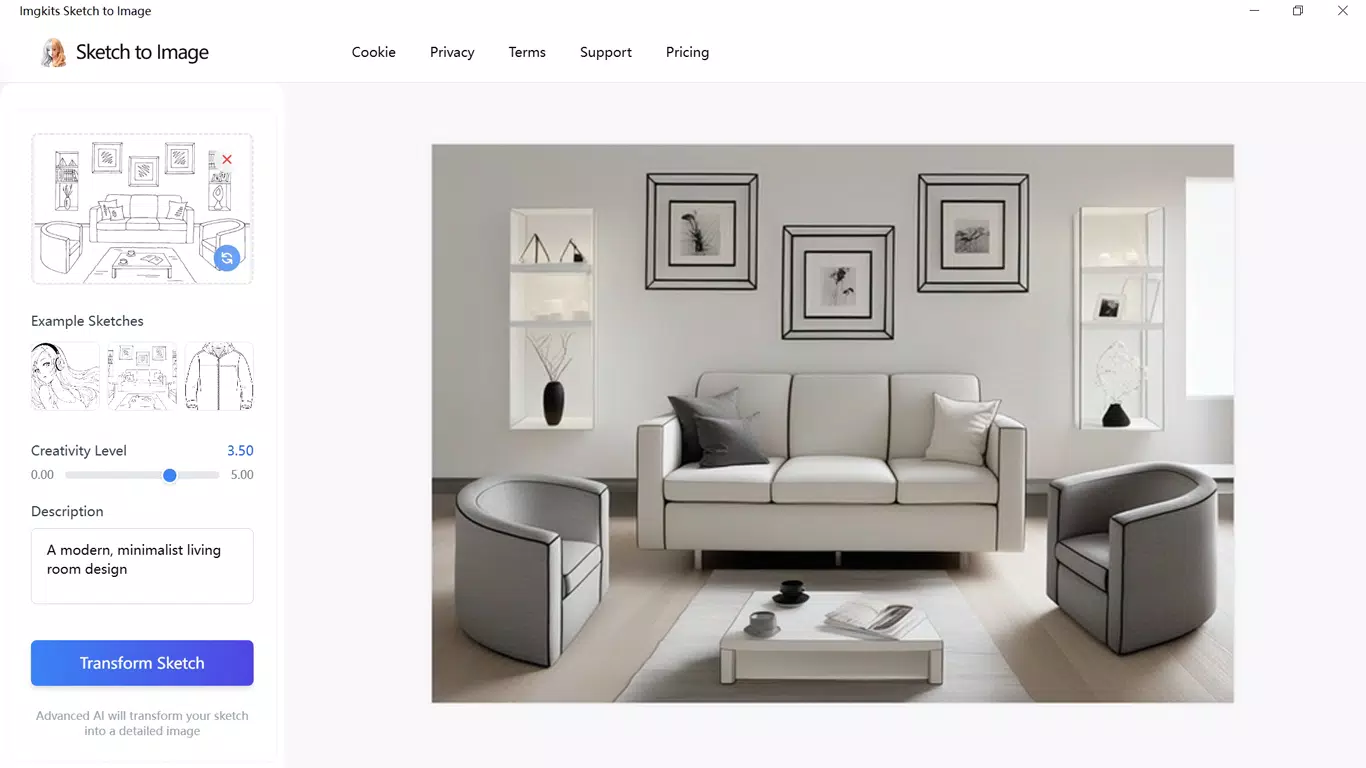
For example, a concept artist can sketch a character idea on paper, scan it, and upload it to the app to instantly receive a clean, styled digital version ready for presentation. Similarly, a product designer might use the app to convert rough hand-drawn product concepts into polished visuals for client feedback. These real-world applications highlight the app’s role in accelerating creative processes without compromising originality.
Interface, UX & Performance
The user interface of Sketch to Image is designed with simplicity and efficiency in mind. The layout centers around a clean, minimal dashboard that prioritizes the upload function, allowing users to quickly access their device’s gallery or camera. Navigation is intuitive, with clearly labeled buttons and a logical flow from sketch upload to final image generation.
Visual feedback during processing helps users understand the app’s progress, contributing to a smooth experience. The app maintains a consistent aesthetic that aligns with modern design standards—light, uncluttered, and focused on functionality. Although the developer did not list formal performance metrics, the app operates efficiently within the provided file size of 85.3 MB, suggesting optimized resource usage.
It is expected to perform well on mid-to-high-end Android and iOS devices, though specific device compatibility was not disclosed. Responsiveness during image processing appears to be fast, as noted in the app’s description of “mere seconds” for transformation. Stability is implied through the consistent output quality mentioned in the feature list.
The absence of reported crashes or performance issues in the official description indicates a reliable user experience. Overall, the app balances visual appeal with practical usability, offering a frictionless journey from sketch to finished artwork.
Platform Compatibility & Technical Requirements
Sketch to Image is available on both Android and iOS platforms, making it accessible to a broad user base across major mobile ecosystems. The current software version is 1.0.5, with a file size of 85.3 MB, which reflects a compact footprint for a feature-rich creative application. The app is currently offered at no cost, with a free pricing model.
While the developer did not specify minimum OS requirements, users are advised to ensure their device runs a recent version of Android or iOS to support the app’s functionality. The absence of detailed technical specifications means compatibility with older devices cannot be confirmed. Similarly, no information was provided about required permissions, background processing, or cloud storage usage.
The developer did not list specific hardware requirements such as RAM or processor speed. For users seeking to install the app, it is recommended to check the official app store listing for the most up-to-date compatibility details. The release date of May 15, 2024, indicates this is a recently launched tool, suggesting ongoing development and potential future updates.
Pros and Cons
Pros
- Converts sketches into high-quality digital art in seconds
- Preserves original artistic intent while enhancing visual quality
- Offers multiple artistic styles for customizable output
- Simple, intuitive interface suitable for beginners
- Available for free on both Android and iOS platforms
Cons
- Specific OS requirements were not listed
- Developer did not disclose permission usage or data handling practices
- No information on cloud sync or offline functionality
- Compatibility with older devices remains uncertain
- Details about AI training data or model updates were not provided
FAQ
Is Sketch to Image safe to use?
The app is free and available through official app stores, which helps ensure it meets basic security standards. However, the developer did not provide information on data privacy or image storage policies.
Can I use Sketch to Image offline?
It is currently unknown whether the app supports offline functionality. The developer did not specify if processing requires an internet connection.
Does the app work with hand-drawn sketches?
Yes, the app is designed to process both hand-drawn and digital sketches, including those uploaded as photos from a camera or gallery.
How often is the app updated?
The app was released on May 15, 2024, and the current version is 1.0.5. The frequency of future updates has not been disclosed.
Is Sketch to Image available on both Android and iOS?
Yes, the app is available on both Android and iOS platforms, allowing users to access it across major mobile operating systems.
Final Thoughts
Sketch to Image stands out as a promising AI-powered tool for creatives seeking to streamline their workflow. By transforming sketches into professional-grade digital art with minimal effort, it empowers artists, designers, and hobbyists to focus more on creativity and less on technical execution. Its user-friendly design, combined with style customization and consistent output, makes it a valuable asset for concept development, prototyping, and visual storytelling.
While some technical details remain undisclosed, the app delivers on its core promise with speed, clarity, and accessibility. For users who value innovation in digital art creation and want a free, efficient solution, Sketch to Image offers a compelling value proposition. Whether you're a beginner exploring your artistic voice or a professional refining your concepts, this app can enhance your process.
Download Sketch to Image now.


